CRM Help Docs
Home
CRM Help Docs
View Categories
Home
Docs
Calendar
How to set calendar availability in Flow Track?
How to set calendar availability in Flow Track?
< 1 min read
Listen
0:00
/
0:09
1×
Copy page
Copy page
Copy this page as Markdown for LLMs
View as Markdown
Open this page as plain Markdown
(opens in a new tab)
Open in ChatGPT
Ask questions about this page
(opens in a new tab)
Open in Claude
Ask questions about this page
(opens in a new tab)
Open in Google AI Studio
Ask questions about this page (Google account required)
(opens in a new tab)
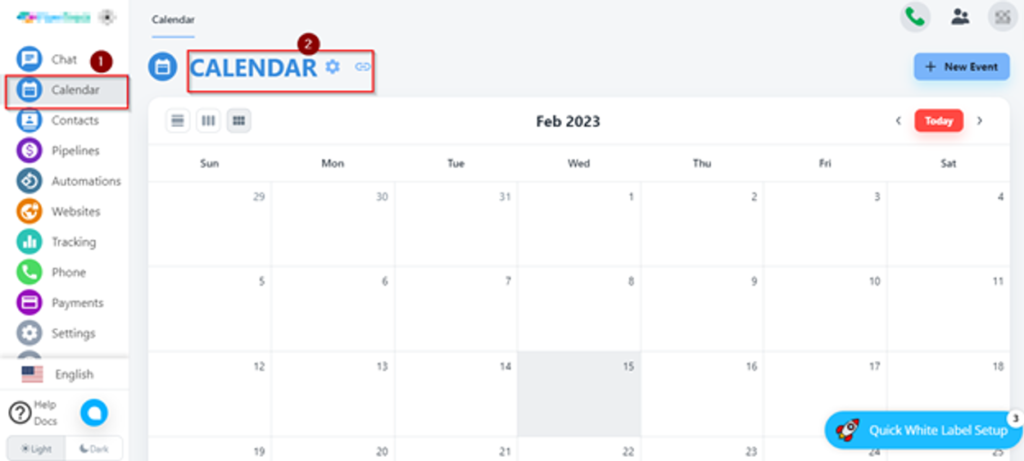
First, you need to click on Calendar from the left bar menu then click on the setting icon.
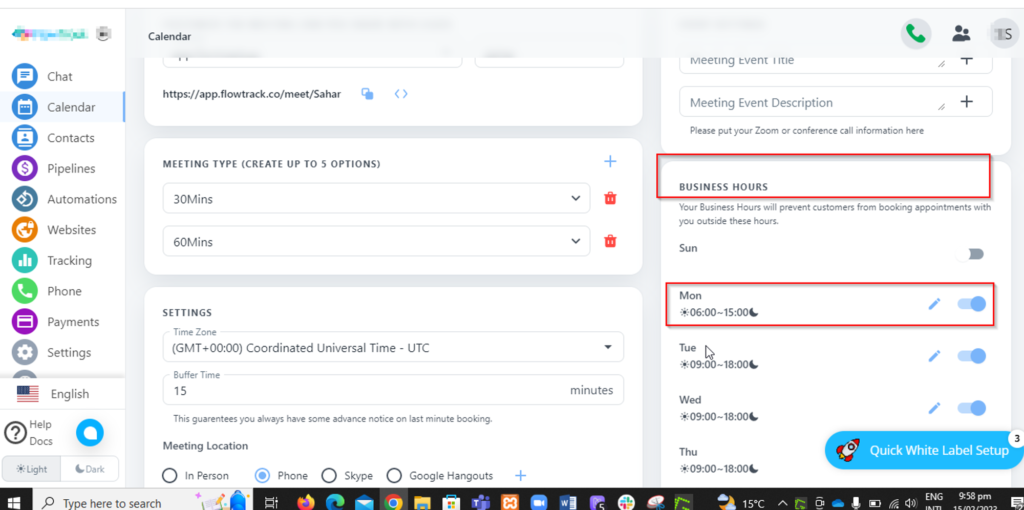
Set Business hours here.
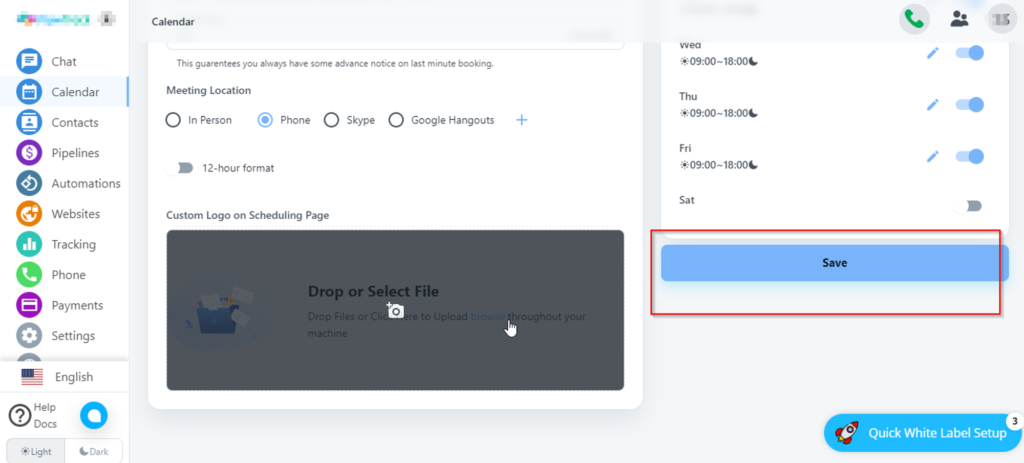
Save the business hour / Availability time.
How to Delete Calendar events?
How to set zoom meeting link in calendar?