CRM Help Docs
Home
CRM Help Docs
View Categories
Home
Docs
VOIP/Phone
How can I set up Flow recorded messages?
How can I set up Flow recorded messages?
< 1 min read
Listen
0:00
/
0:15
1×
Copy page
Copy page
Copy this page as Markdown for LLMs
View as Markdown
Open this page as plain Markdown
(opens in a new tab)
Open in ChatGPT
Ask questions about this page
(opens in a new tab)
Open in Claude
Ask questions about this page
(opens in a new tab)
Open in Google AI Studio
Ask questions about this page (Google account required)
(opens in a new tab)
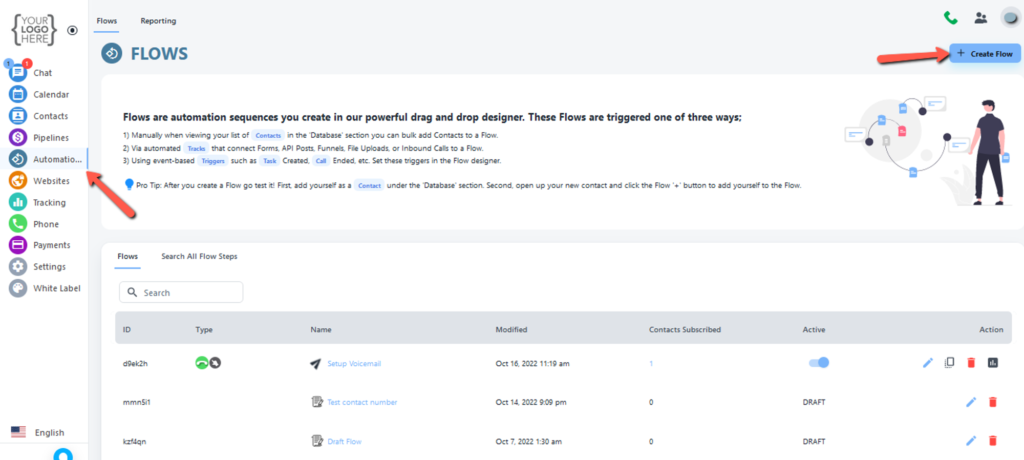
First, you have to click on the Automation Flow tab from the left side, And click on create flow button.
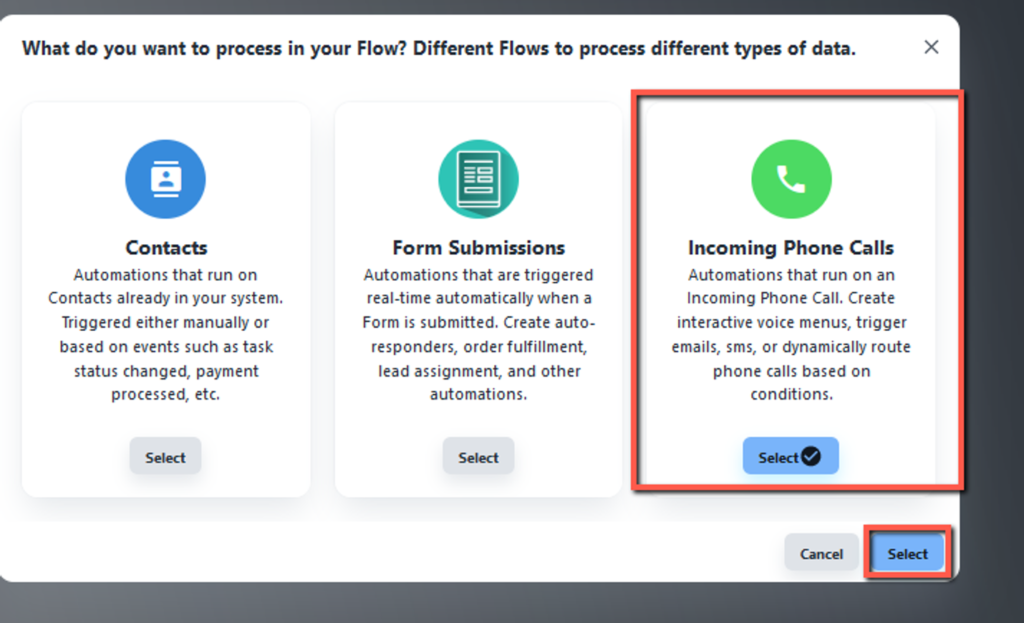
A new window appears select incoming phone call and clicks the select button.
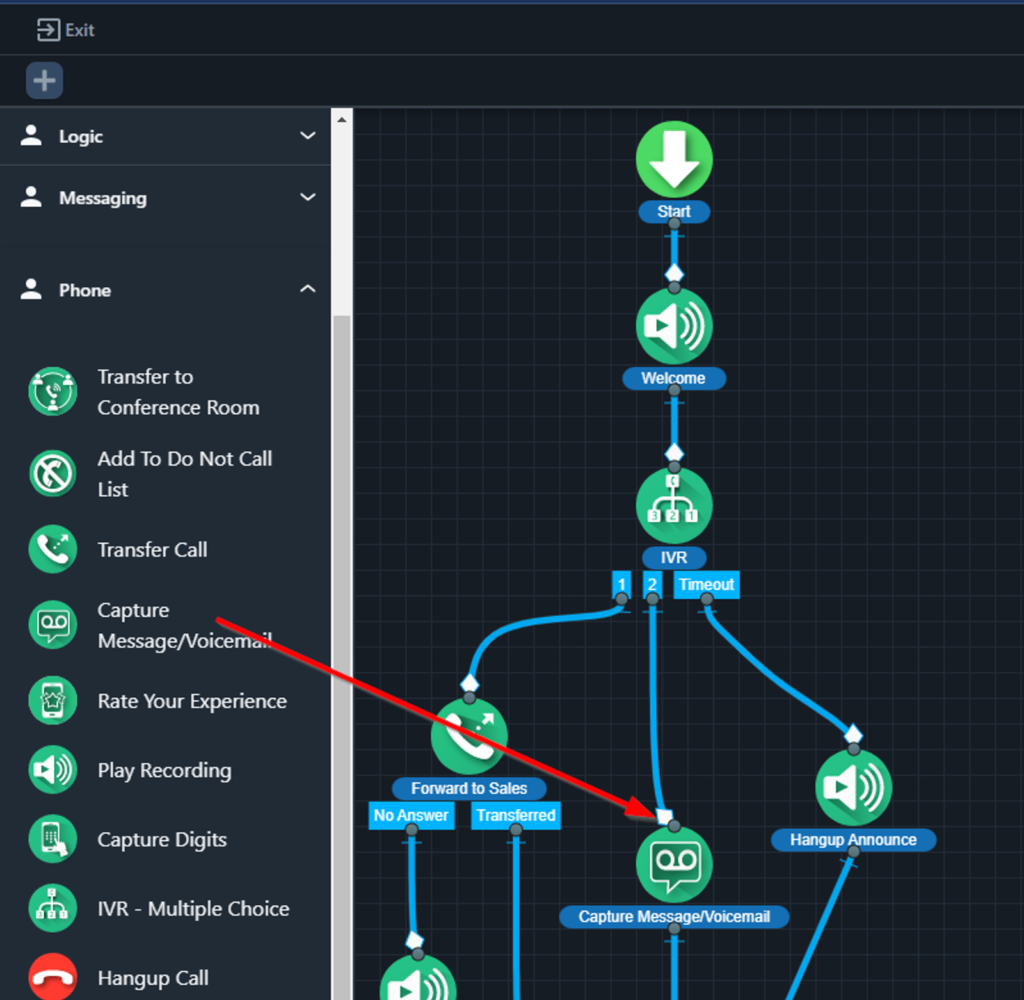
In automation flow here is the setup of flow-recorded messages.
How to record Inbound/Outbound calls through the extension
Where can I find out Flow recorded voicemails?